Customizable Views
Visualize your data using Board, Timeline, Gantt, Table, List, Calendar, Gallery, Feed, and Map view.
Fibery's set of interactive views helps you to look at the data from multiple angles and (hopefully 🤞🏼) get new insights. You can create Kanban Boards, Roadmaps, Work Hierarchies, Interview Calendars, Galleries, Backlogs, and other useful views.
Board
Create Kanban Boards (or get creative with your own boards). Drag and Drop. Display images. Group by rows and/or columns. Customize visible fields. Filter, sort, and color code.

Timeline
Create Roadmaps (or visualize other things with duration). Display cards from multiple databases — Features, Content, Marketing tasks, etc. Group cards by lanes. Drag and drop items from the backlog. Set milestones. Edit cards. Zoom in/out to have a comfortable timeline scale. Filter, sort, and color code.

Gantt
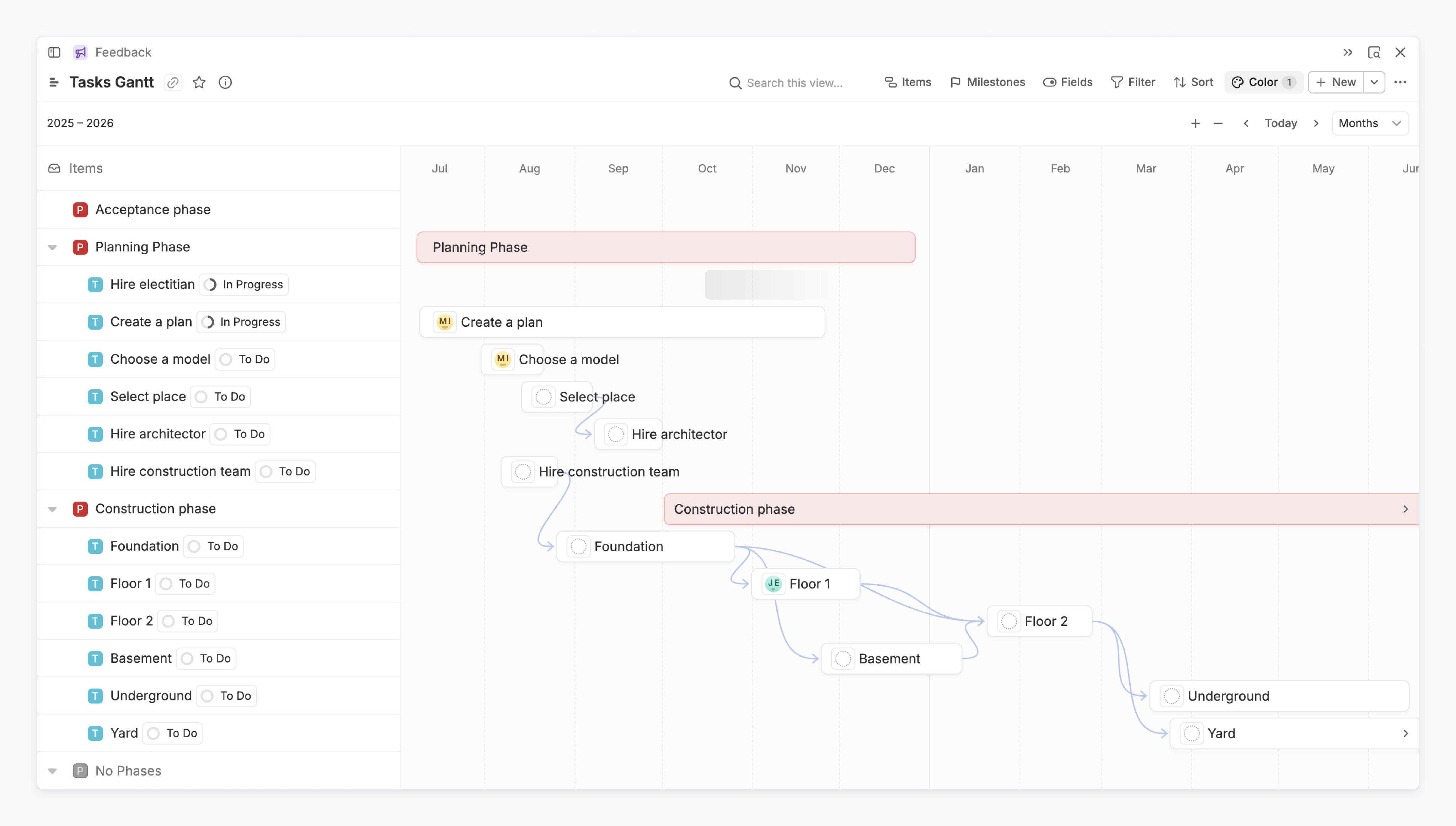
The Gantt View in Fibery is a powerful and intuitive way to visualize your project timeline. It shows tasks as horizontal bars, making it easy to see planned dates, dependencies, and how different pieces of work connect. Whether you're planning a project, managing resources, or tracking progress, this view helps you stay organized and in control — even when things get complex.
Table
Just work with any data. Quickly edit everything. Copy and paste values (in batches!). Re-order rows and columns via drag and drop. Pin or hide columns. Filter, sort, and color code.

List
Create hierarchical backlogs (or visualize any hierarchical data). Have a list of any depth, like Products → Features → Tasks → Subtasks. Quickly create cards at any level. Drag and drop to change the hierarchical position. Filter on any level.

Calendar
Create calendars for everything you need: team meetings, user interviews, or releases. Switch to Month, Week, or Day view. Drag and drop to change dates. Add cards from the backlog. Filter, sort, color code.

Gallery
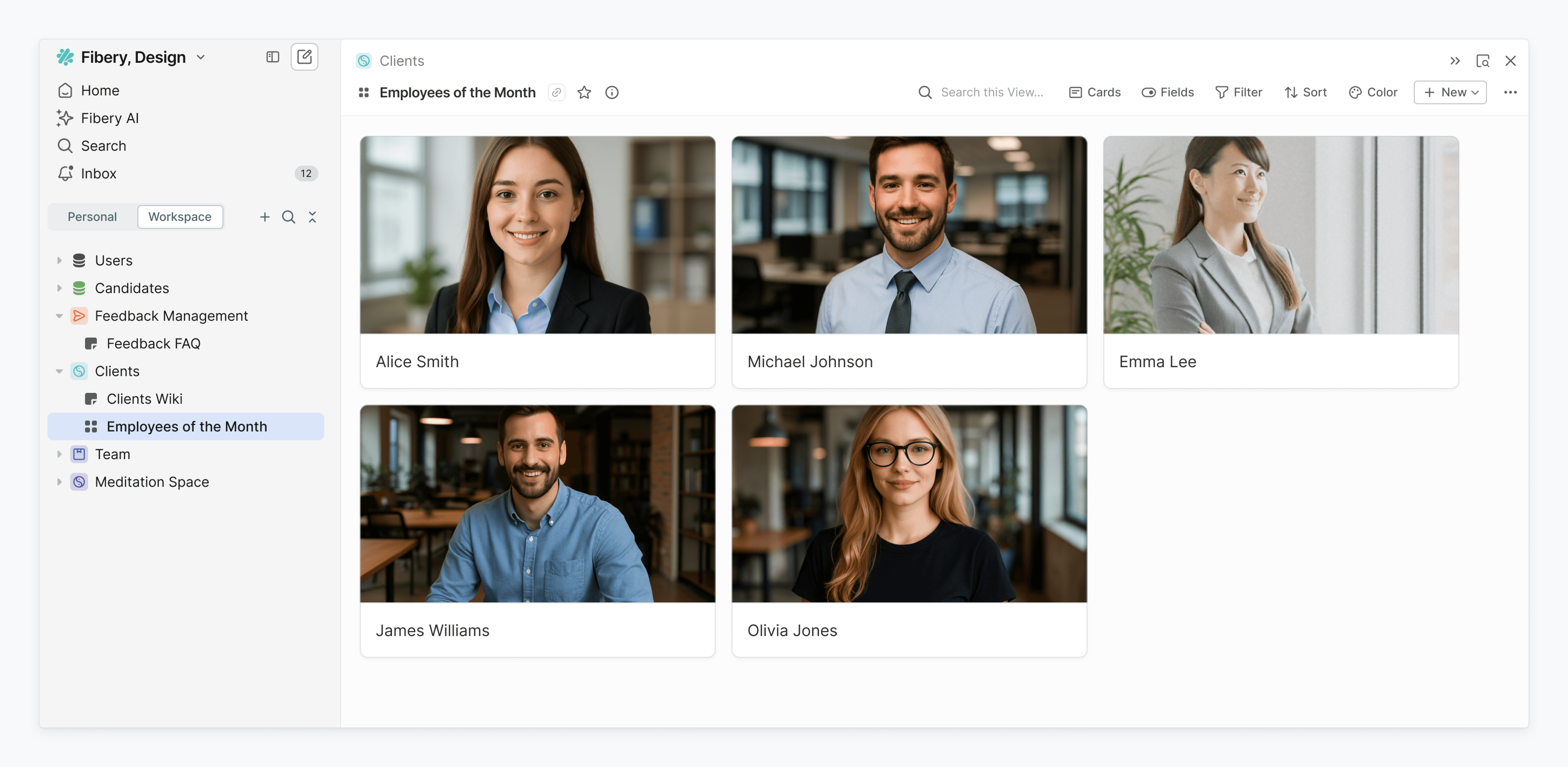
Gallery View shows Entities as blocks arranged in a grid format, providing a visually appealing way to browse and manage them without the constraints of predefined columns. It is especially useful in cases where Entities include media files, such as “Employee grids with photos,” “Book grids with covers,” or any scenario where a cover image plays a key role in distinguishing one Entity from another.
Feed
Review incoming user feedback, scroll through notes (or display other cards with a rich edit field in a large format). Add cards from multiple databases. Choose which fields to display. Edit cards right from the view. Filter, sort, and color cards.

Map
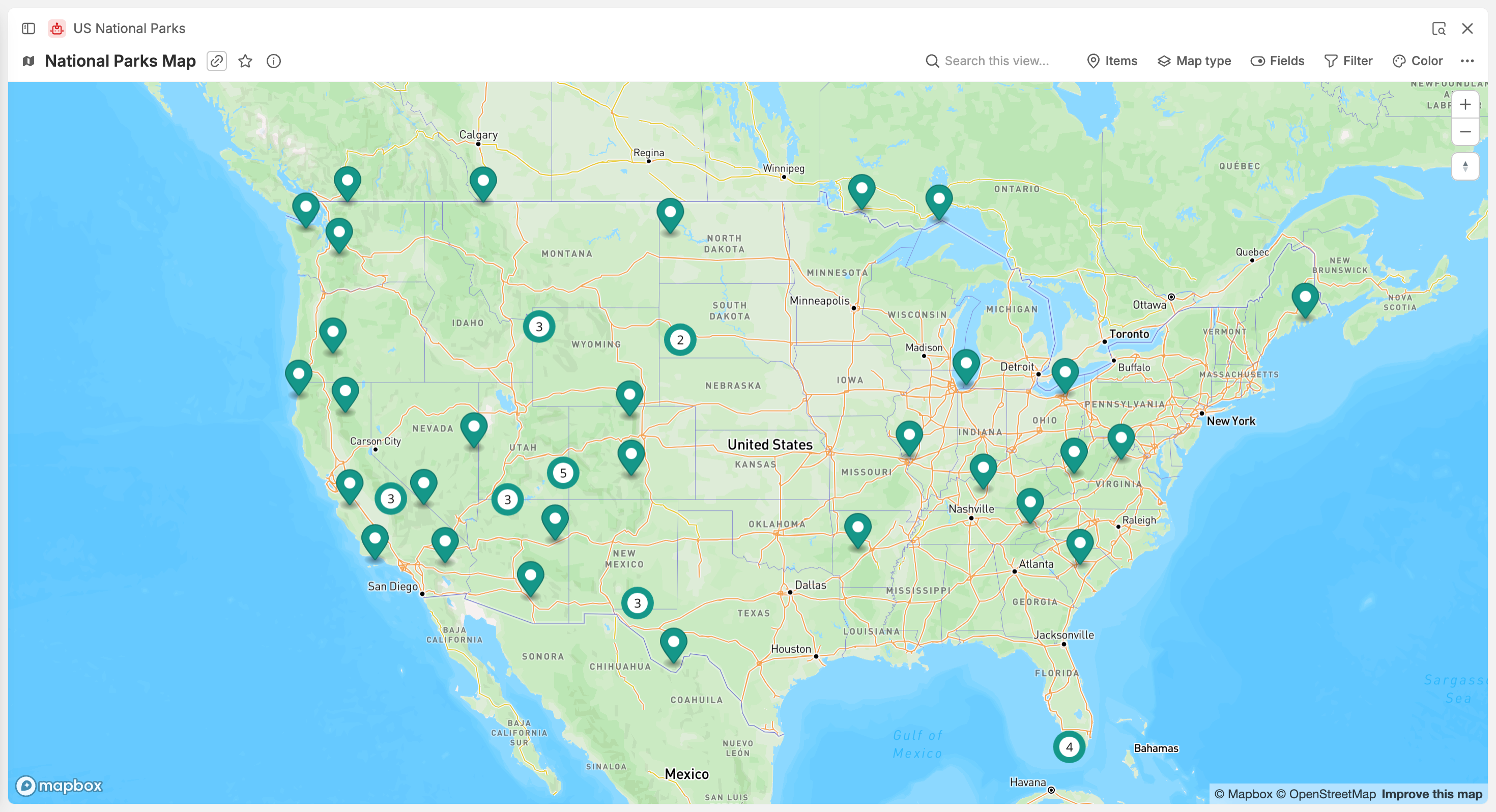
Put customer locations, industry events, offices, or anything you want on the map. Display one or several databases. Set map style. Customize visible fields. Quickly open cards by clicking a marker. Filter and color code markers.
🤓 Learn more
Check out the Help Guide on Views to master your data visualization and find the best view for the job.
👂 Need something else — let us know
Do you lack a view or need a different functionality? Let us know via the chat in the bottom right corner — we will prioritize top requests.